Choose the gardening task
Use the exact product listing to compare the intended task, fitting and included components. Product capabilities are specific to the chosen model.

$70.00
Free standard US shipping
Contiguous 48 states & DC · 4–7 business days total
30-day returns
Merchant-paid return shipping. Read the policy
Questions about this item? [email protected]
Product brand: Hoselink USA
The details
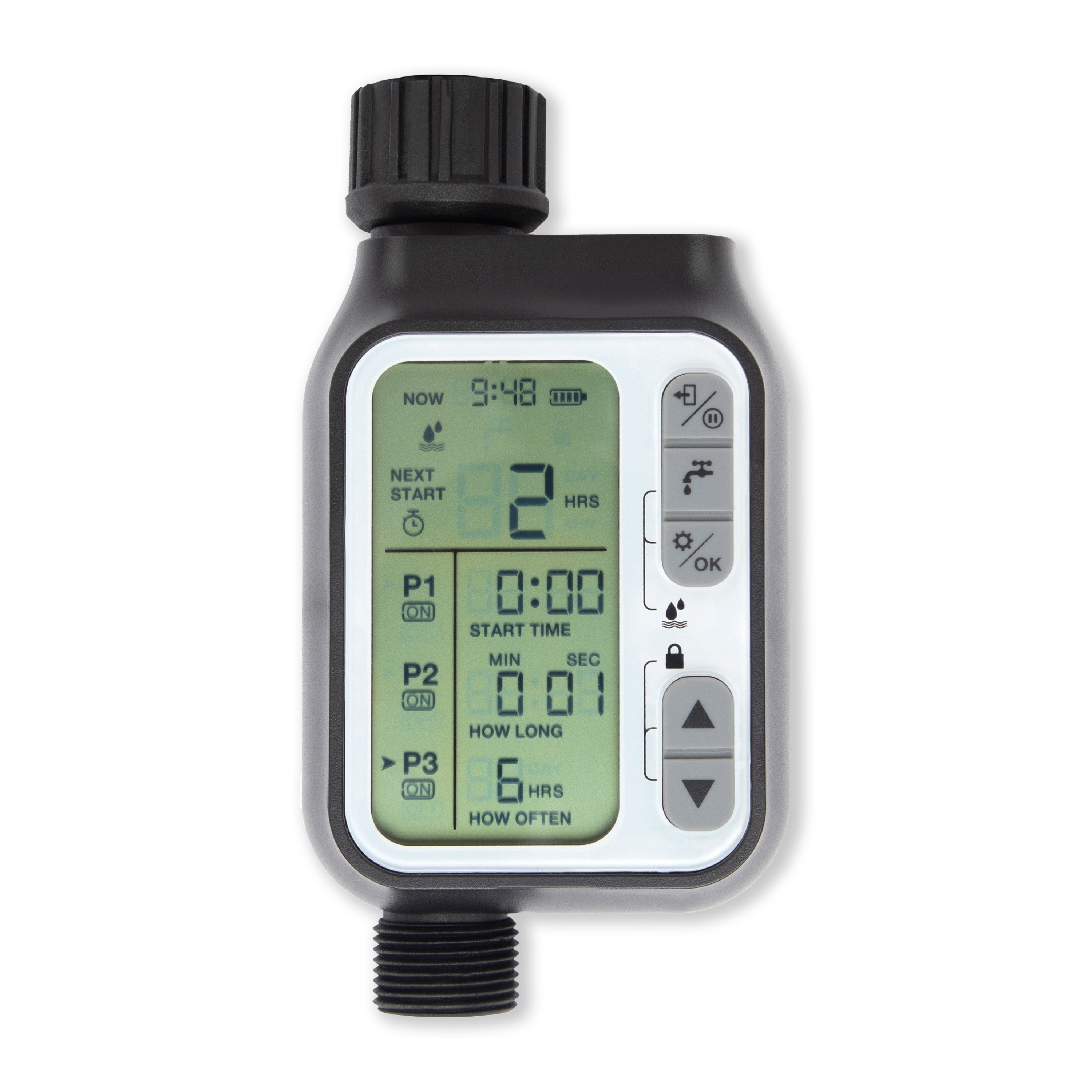
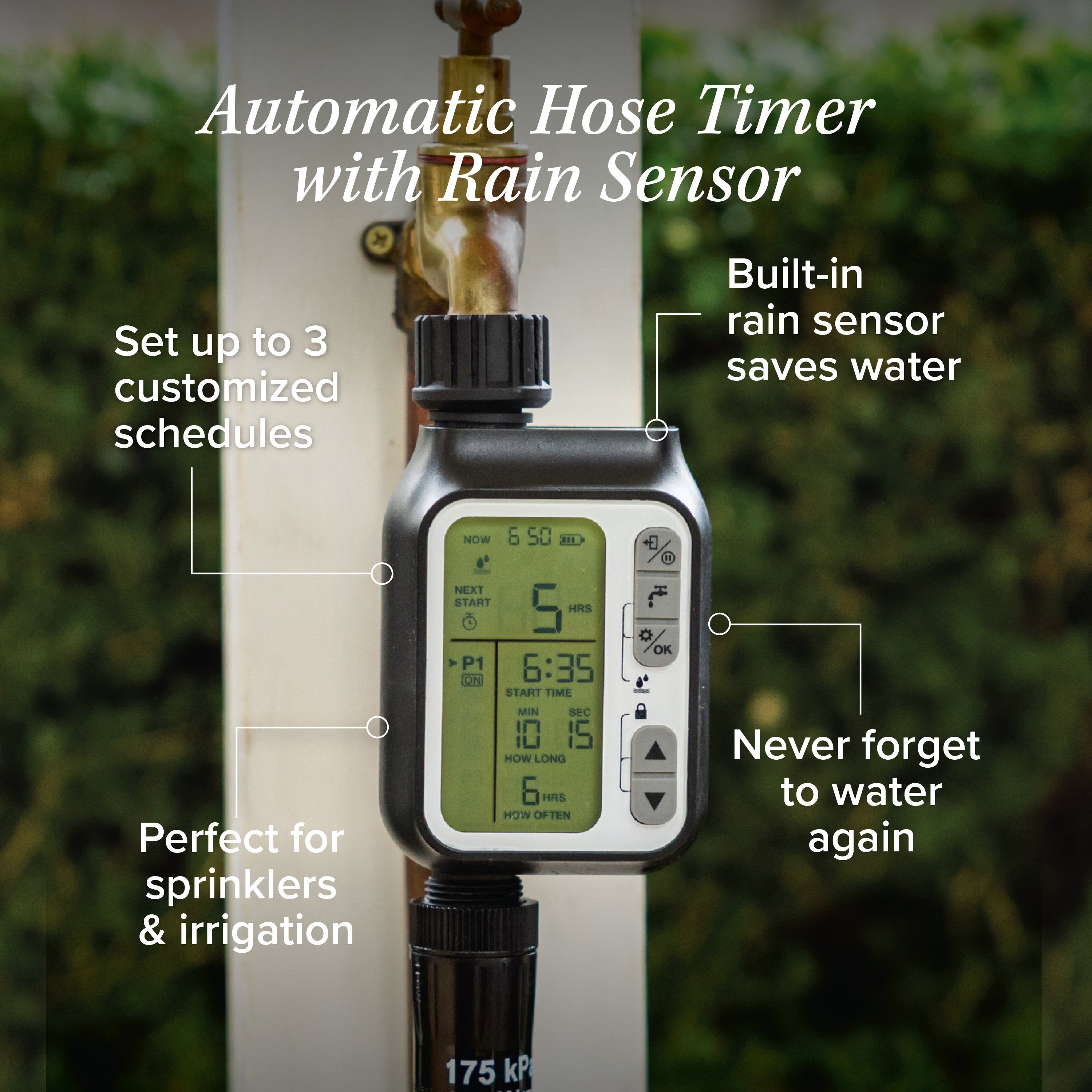
This Hose Timer not only detects when it rains to prevent your irrigation system from coming on unnecessarily, but it also allows three separate watering schedules to be set up for specific days, so you can put your feet up!
This Timer is the perfect accessory for any irrigation or sprinkler system set up in your yard. The Timer helps to conserve water and ensures you NEVER forget to water your garden again.
It is easy to use and quick to set up with interval programming options.
Features
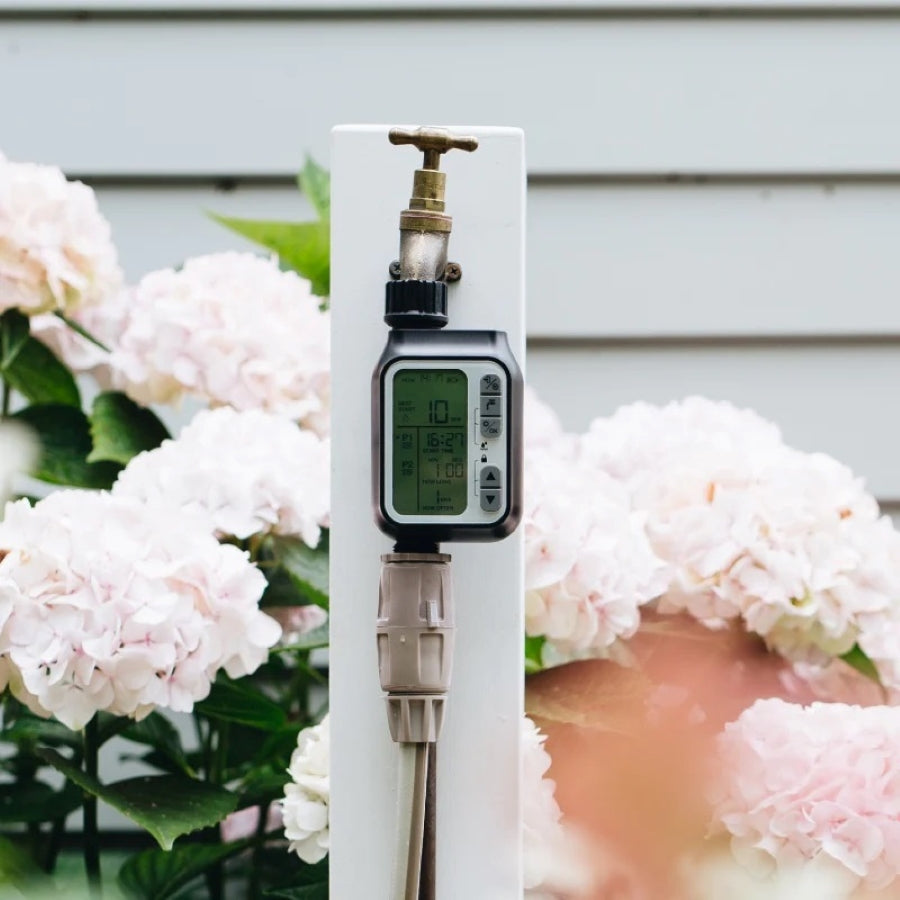
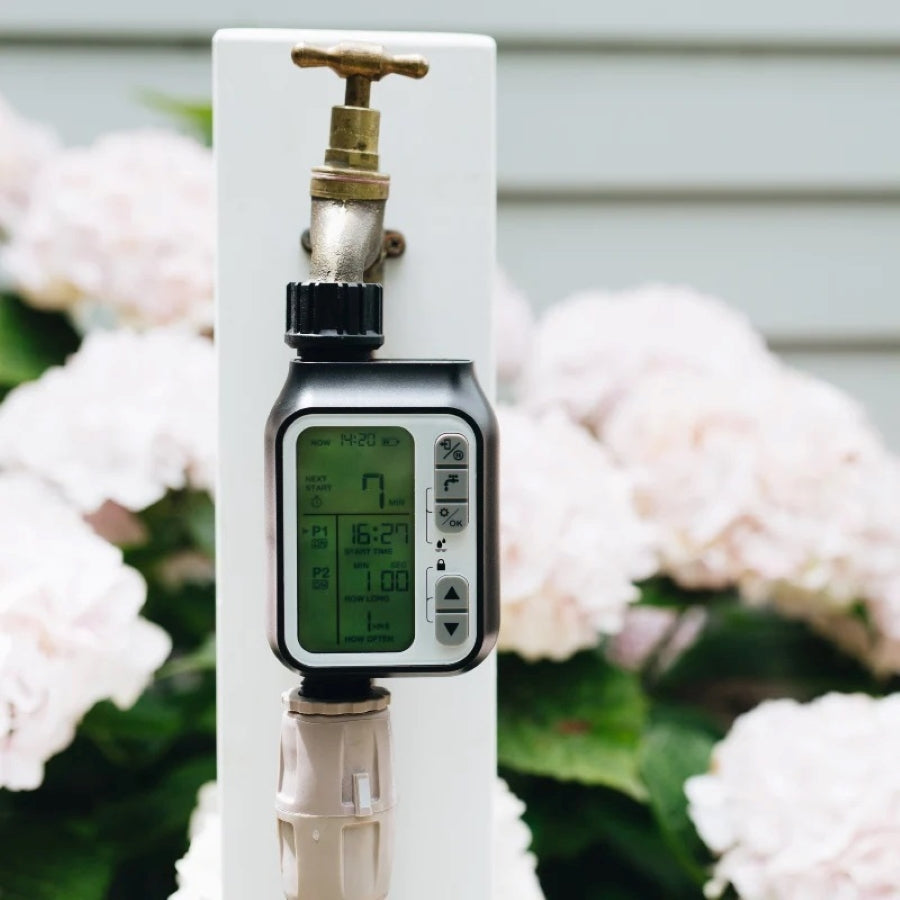
+ Large, clear LED display screen.
+ The timer has a manual on/off watering feature, which allows you to water manually in between your set schedule.
+ Rain sensor built into the top of the timer, which will cancel your watering schedule if you are experiencing wet weather.*
+ The LED screen will turn off when not in use to prolong the battery life.
+ You can set the watering session to run for any time between 1 second and 99 minutes.
+ Watering frequency can be set from as little as every hour, up to 15 days.
Installation
Insert 2 x AA alkaline batteries (not included) by opening up the cover on the back of the unit. Once inserted, press the cover down until flush with the timer casing to ensure a watertight seal.
Please note, rechargeable batteries should not be used as their lower voltage output may affect the timer's ability to open and close the internal valve.
The Timer comes with a standard 3/4" thread to fit any standard faucet.
Set up
After the batteries are inserted into the timer unit, a default screen will appear. Press the ‘SETUP/OK’ button and configure timing using the ‘UP (^)’ and ‘DOWN (v)’ buttons. Then, once the correct times are entered, press the ‘SETUP/OK’ button to confirm and move on to the next setting.
To turn the timer off, press and hold the 'ESC/OFF' button for 3 seconds or until 'OFF' shows up on the screen. To reactivate, press and hold the 'ESC/OFF button again.
Recommendations
Check the battery indicator before going away on vacation. It is a good idea to put new batteries into the Timer in case the battery runs flat while you are away OR, alternatively, have someone available to check on the Timer while you are gone. Do not use rechargeable batteries.
Do not submerge the Timer under water.
When expecting freezing temperatures, remove the Timer from the faucet and store inside to prevent water from freezing inside the unit.
Check the included tap filter every so often to ensure no blockages occur. To do this, unscrew the Timer from the tap and remove the washer to clean the filter inside.
*Rain sensor will only work if the Timer is out in the elements, should the Timer be sheltered from the weather, it will not work efficiently.
WARNING:
When going away from home for long periods of time, we recommend reducing the water pressure at the tap. In the event of product failure, this will reduce overall water loss. Hoselink will not be held liable for water damage or loss due to product failure.
Know the fit
Please note, rechargeable batteries should not be used as their lower voltage output may affect the timer's ability to open and close the internal valve.
When expecting freezing temperatures, remove the Timer from the faucet and store inside to prevent water from freezing inside the unit.
Choose & use with care
Use the exact product listing to compare the intended task, fitting and included components. Product capabilities are specific to the chosen model.
Compare the listed dimensions, capacity and actual option labels with your available space or equipment before ordering.
Use the care and handling directions supplied for the selected product. Contact our team with the SKU if a detail is not stated.
Follow the instructions supplied for the exact product. Features, limits and care directions are specific to the selected model.
Order preparation takes 1–3 business days, followed by 3–4 business days in transit: 4–7 business days in total. Standard shipping is free to the contiguous United States and DC, with no minimum order.
Request a return within 30 calendar days after delivery. We pay return shipping. After receipt, inspection and initiation of an approved refund take 5–7 business days.
Before you decide
Choose the gardening task. Read the actual item description, included parts and options. The collection contains different models; a feature stated for one item should not be assumed for every product.
Check reach and capacity. Compare the dimensions and compatibility stated for the selected item with the space or equipment you intend to use. If a required measurement is absent, send the product name or SKU to [email protected] before purchasing.
Available choices are shown on the individual product page. Select the actual option labels before adding a variable product to your cart. Photos and specifications should be read together with that choice; availability is specific to the selected configuration.
Read the care notes. Follow the instructions supplied for the exact model. Do not assume that all items have the same materials, installation method, care directions or intended use.